(Case study 02/11)
Baywell
Concept case study · Product design · Prototyping · Two apps · iOS and Android · Foldables
Two apps for one building: one for the companies that work there, one for the team that runs it. Every tap in one app lands on someone in the other.
- For
- IREPworkspaces centres, as a concept
- Product
- A client app and a team app
- My role
- Product design and prototype, solo
- Status
- Portfolio concept, not a published app
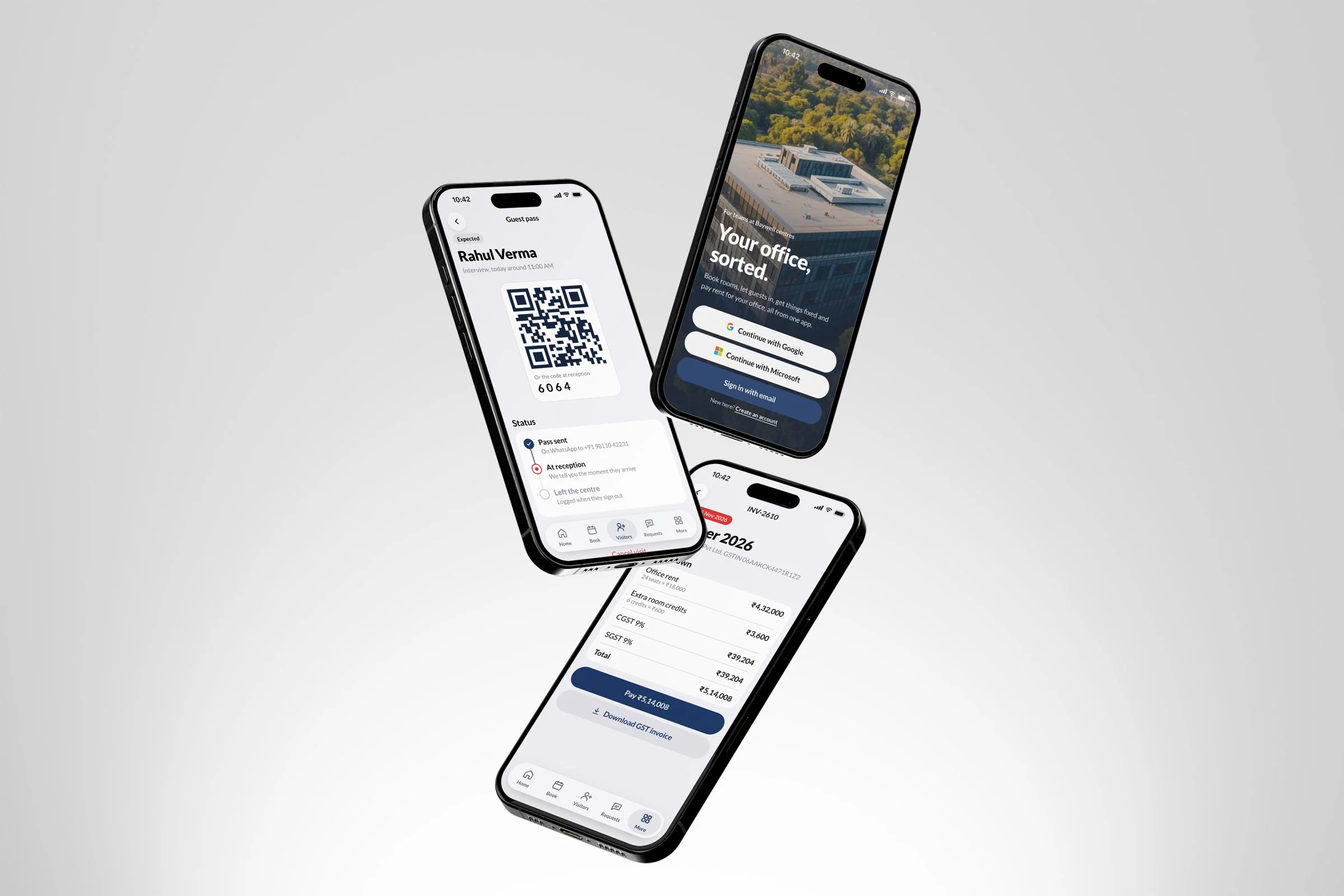
A managed office runs on messages. This puts it in one place.
If you rent space in a managed centre, small things take a message to the front desk: a room for the 11:30, a guest at the gate, the AC in Bay B, the October invoice.
Baywell gives the companies in the building their own app for all of it, and gives the centre team a second app where every one of those taps arrives as work with a name on it.
It is a concept I designed for IREPworkspaces, in its colours and with its X mark, under a working name so it is never mistaken for a shipped IREP product.
- Room booking with credits
- Guest passes
- Arrival alerts
- Service requests
- Rent and GST invoices
- UPI payments
- Front desk check-in
- Technician jobs
- Daily rounds with photos
- Sales pipeline
- Build-to-suit proposals
- Fit-out tracking
- Billing runs
- Notices
- iOS and Android
- Foldables
- 01
Product design
Both apps end to end: roles, flows, every screen on iOS and Android, phone and foldable, in the IREPworkspaces brand.
- 02
Prototype
Two working prototypes with deep links for every state, and the Photoshop mockups rendered from them.
Try it
Both apps, working
These are the real prototypes. Use the panel on the left of each to switch between iOS and Android, phone and foldable, and who you are, or pick a flow and follow it start to finish.
Sample data for made-up companies, and nothing is saved: reload and it starts again. It reads best on a laptop.
Who it's for
Two apps, nine people
I designed both sides together, from who opens each app and what they came to do.
Office admin
Runs the company's space: rooms, guests, requests, the contract and the rent.
- Client app · sees everything
Finance
Pays the invoices and downloads the GST copies, as well as everything a member does.
- Client app · pays
Member
Books rooms, adds guests and raises requests. Never sees an invoice.
- Client app · no payments
Centre manager
Seats sold, open requests, visitors and approvals for the whole centre, first thing in the morning.
- Team app
Front desk
Today's guests by time, pass scanning, walk-ins, rooms and parcels.
- Team app
Technician
Their jobs and the daily rounds, closed with a photo.
- Team app
Sales
A pipeline of offices: ready to move in, or built to suit a client's floor.
- Team app
Accounts
Invoice runs, payments received and who to chase today.
- Team app
Design
Build-to-suit floors, from first layout to site queries.
- Team app
How they connect
Every tap has someone on the other side
The rule for both apps: nothing a client does disappears into an inbox. Each action becomes something a named person in the centre team can see and act on, and the answer comes back to the client.
Book a room
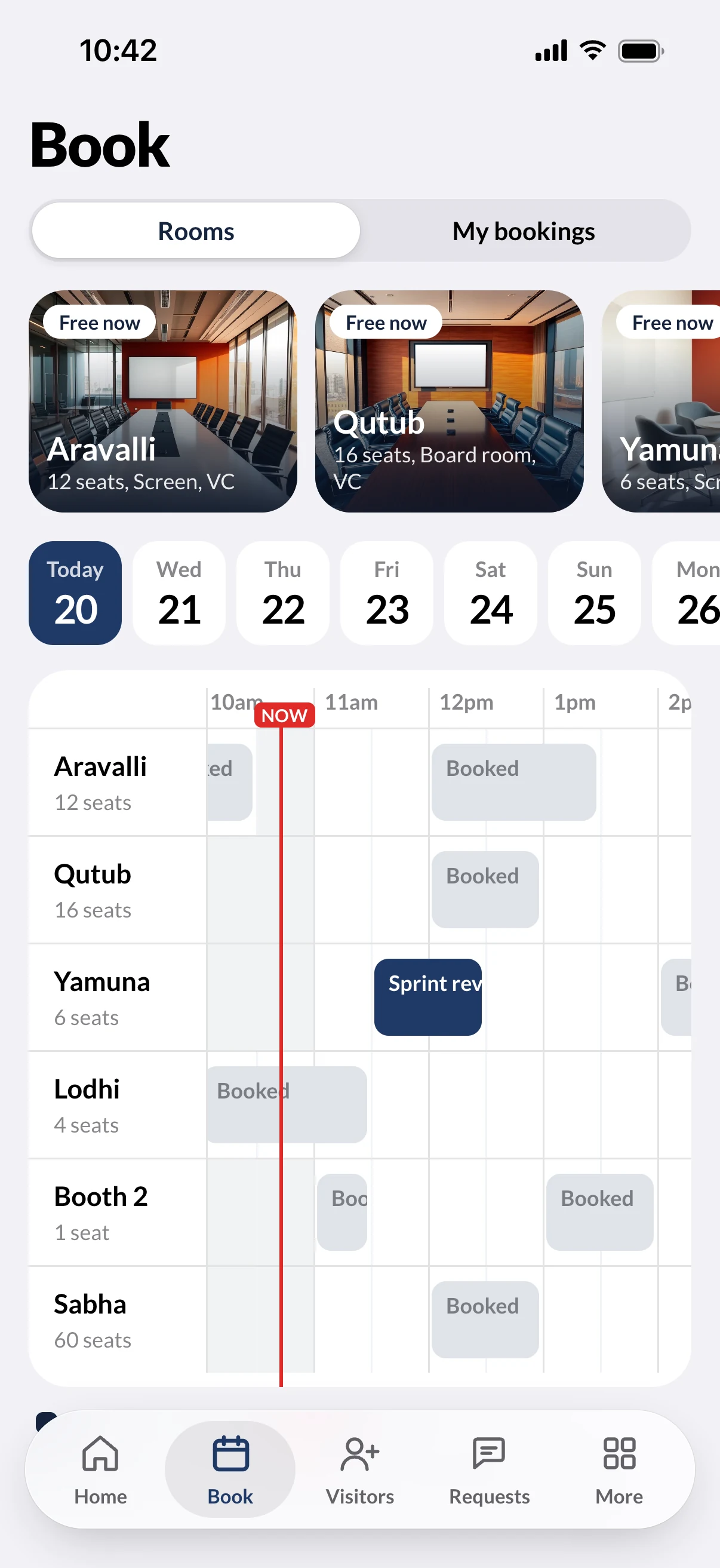
The client taps a free slot on the timeline. The room shows as booked for the front desk.
Invite a guest
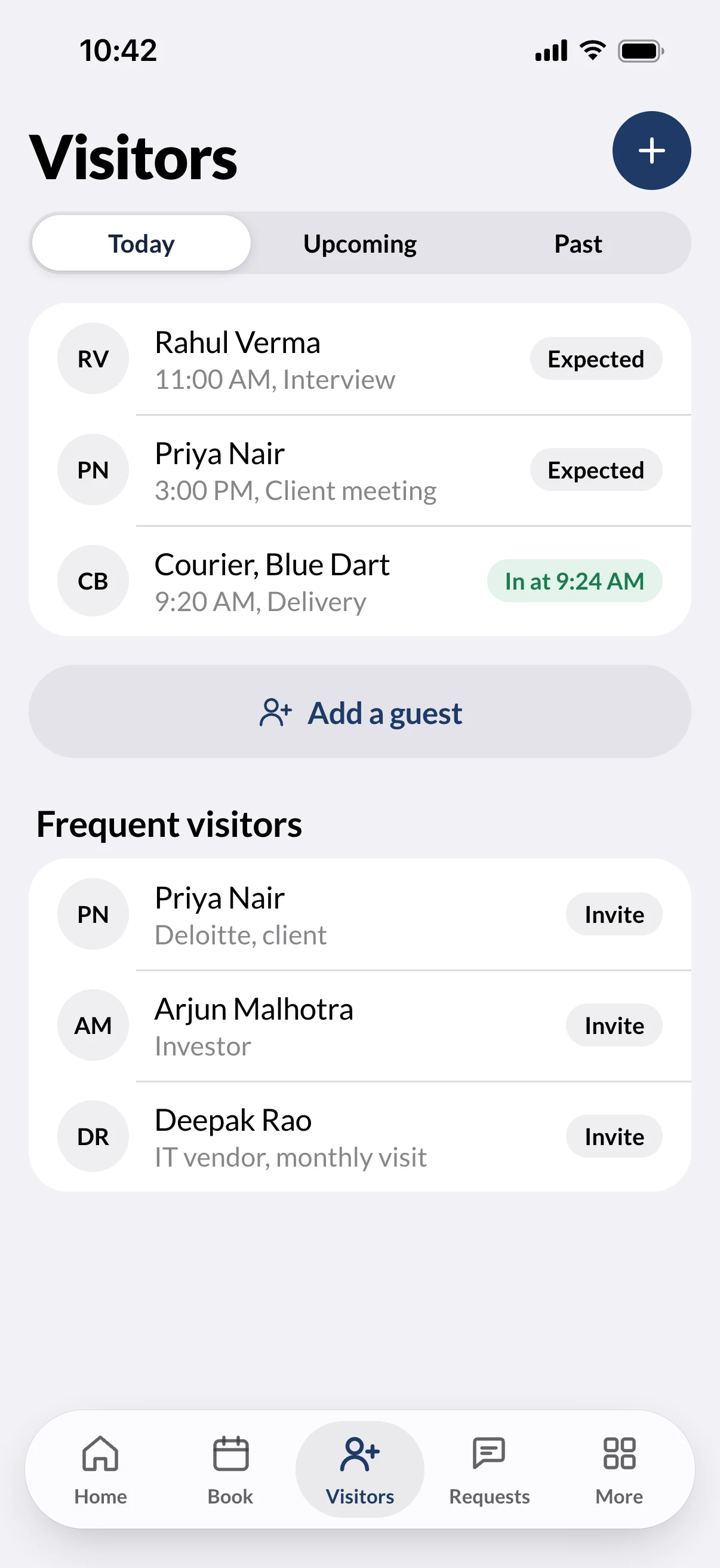
The guest gets a pass. Reception scans it at the desk, and the host gets an arrival alert.
Raise a request
The manager assigns a technician, the technician closes the job with a photo, and the client watches each step.
Pay the invoice
The client sees the breakdown and pays by UPI. Accounts marks it received and the GST receipt goes back.
Book the event space
A request for the big room waits for the centre manager to approve it.
Post a notice
The centre team writes once, to one floor, one client or the whole centre.
Platforms
One design, two platforms, four shapes
Both apps follow the house rules of each platform instead of forcing one look on both.
iOS and Android
Apple's design on iPhone, Material 3 on Android. Same screens and data, each in its own platform's controls.
Phone and foldable
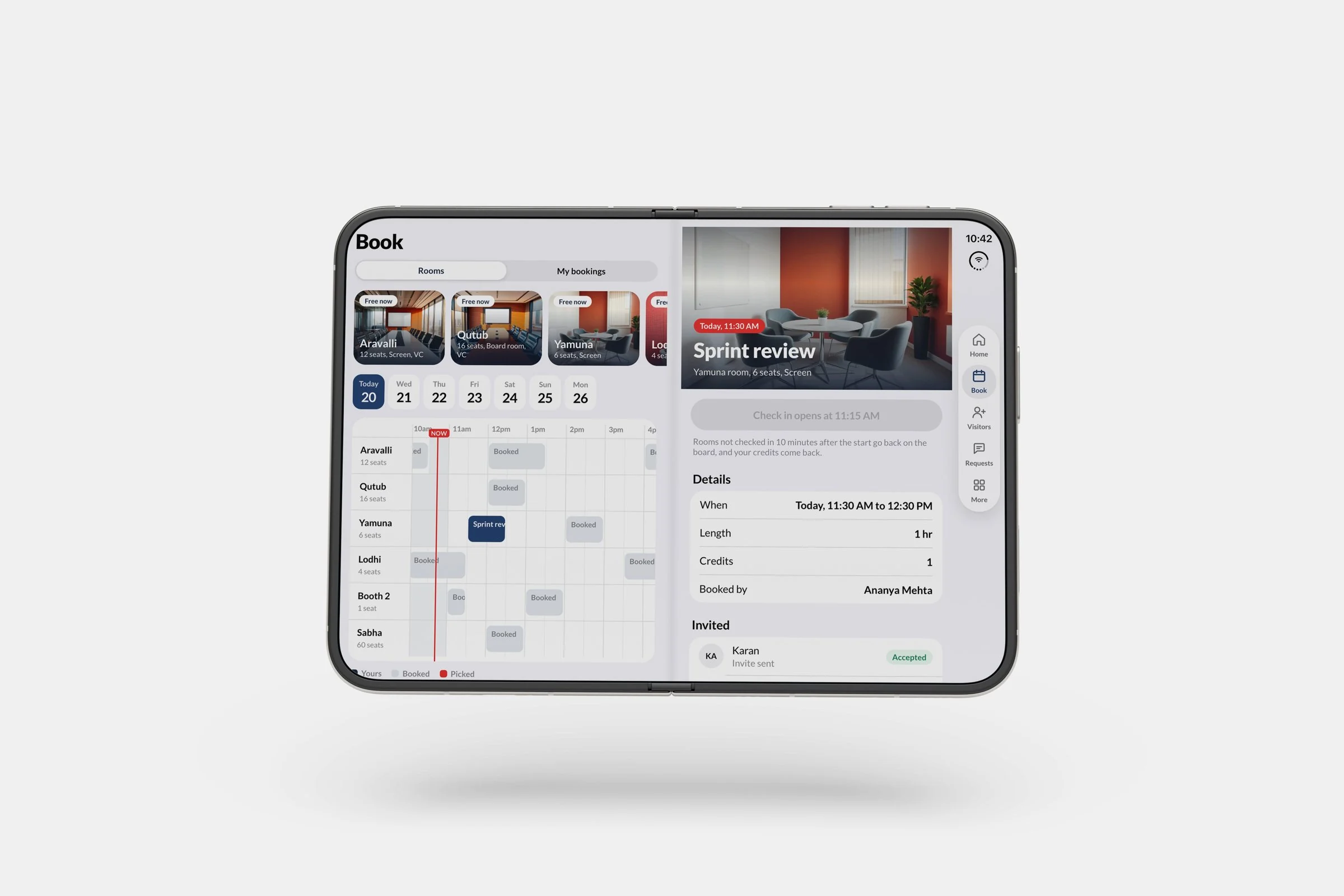
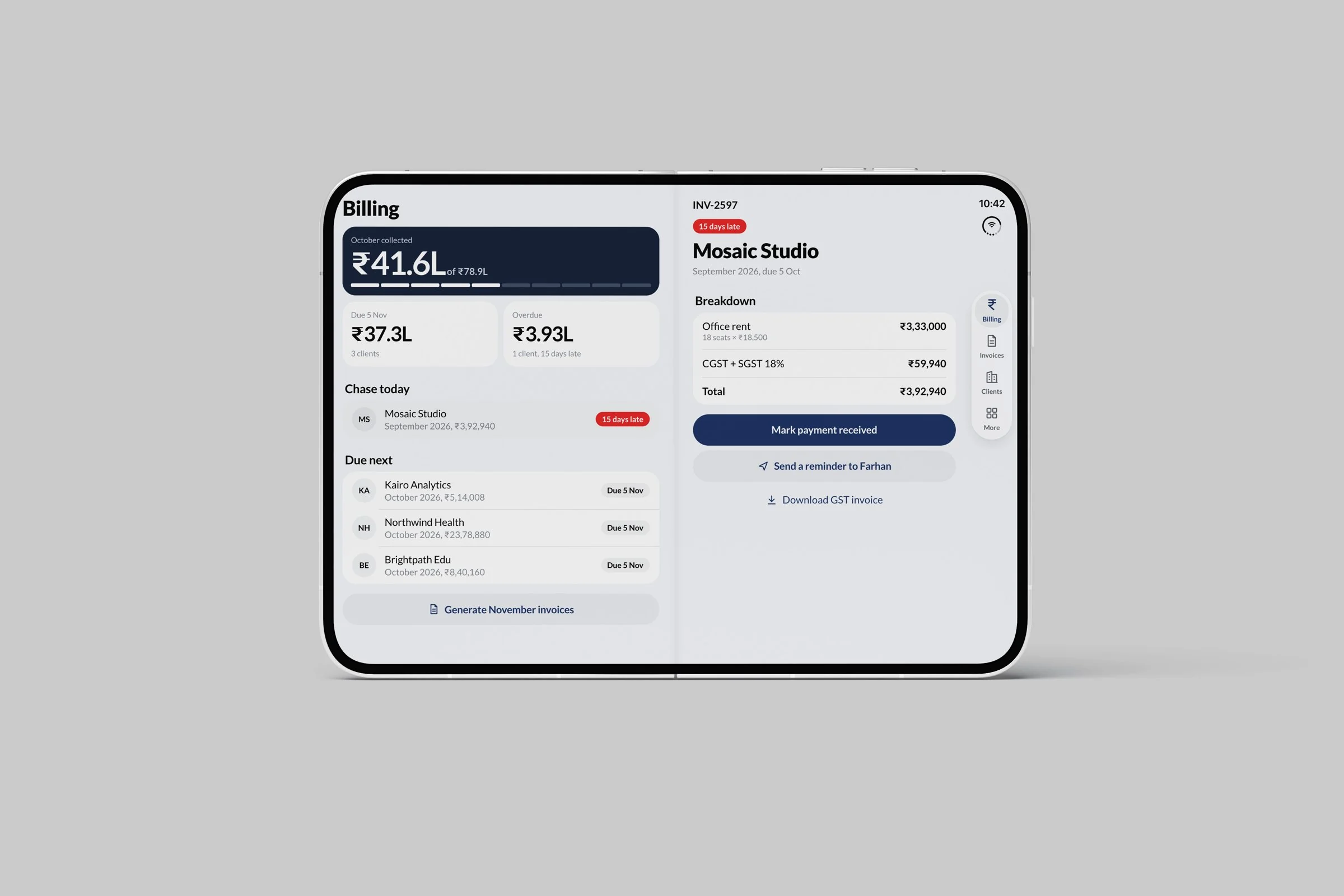
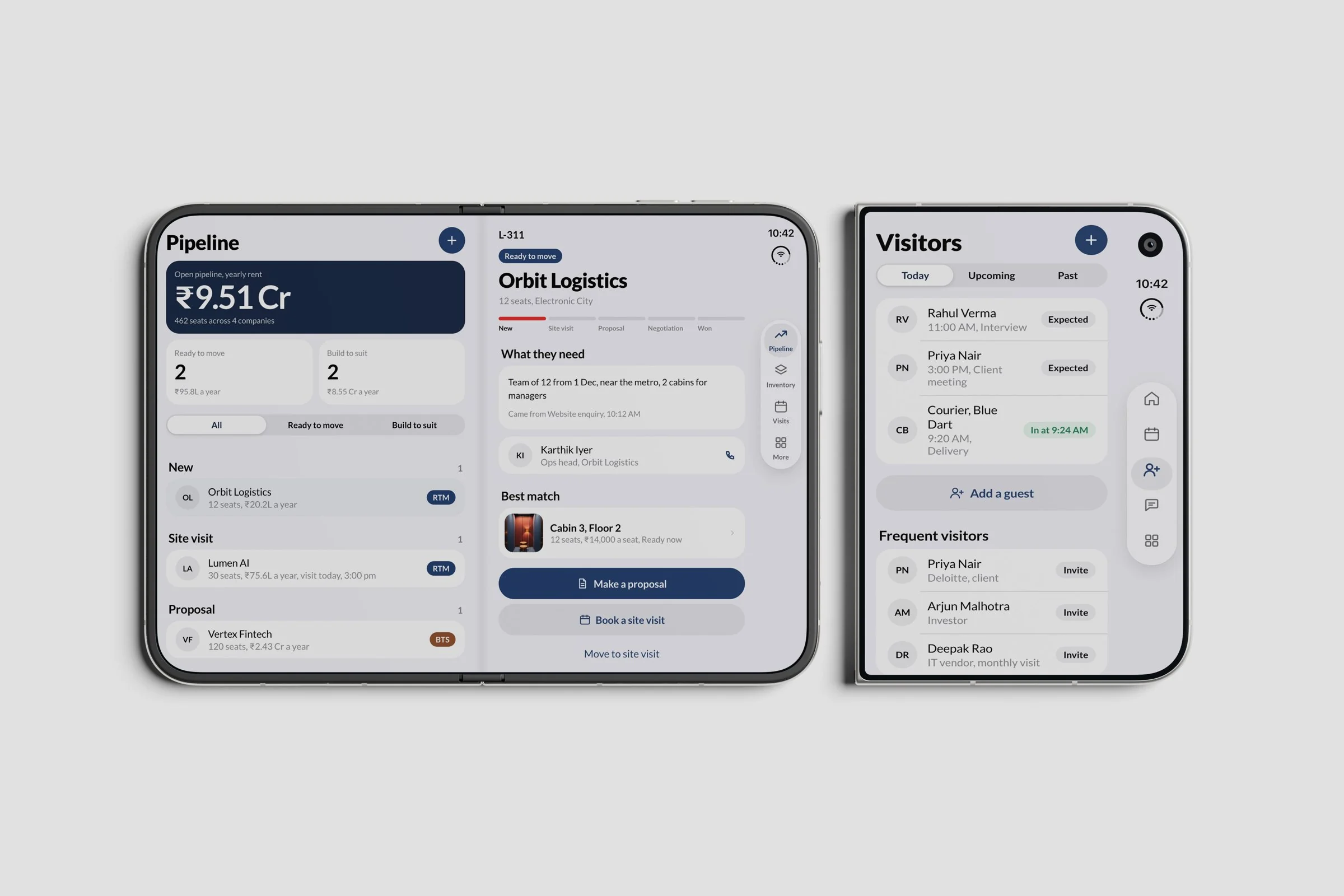
A phone, a foldable closed, open flat or half folded. Open, the bottom tabs move to a side rail and screens show a list and its detail side by side.
The brand, not a theme
IREPworkspaces navy and vermilion, its heavy Lato type and the X mark, so the apps feel like the building you walk into.
Status everywhere
Every booking, guest and request says where it is and what happens next, in both apps.
Client app
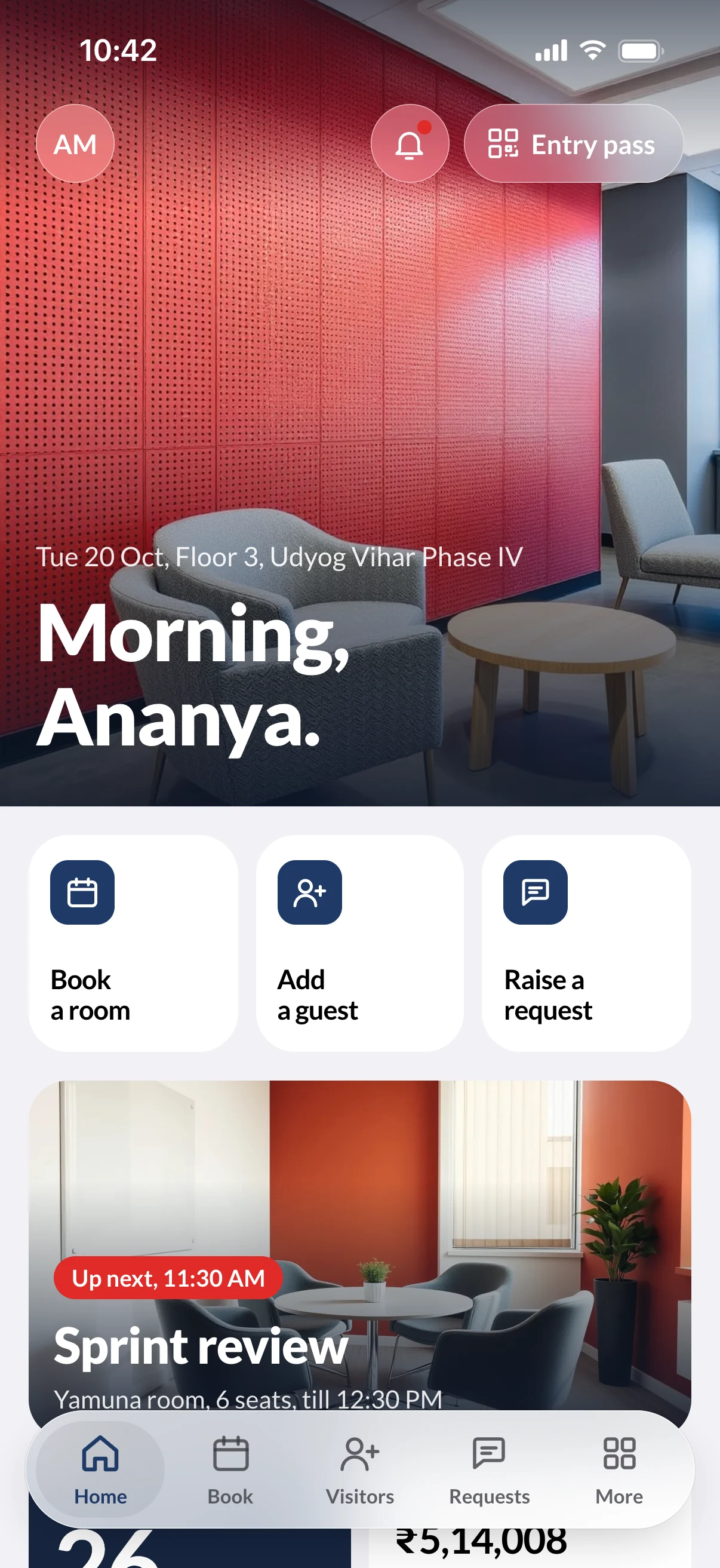
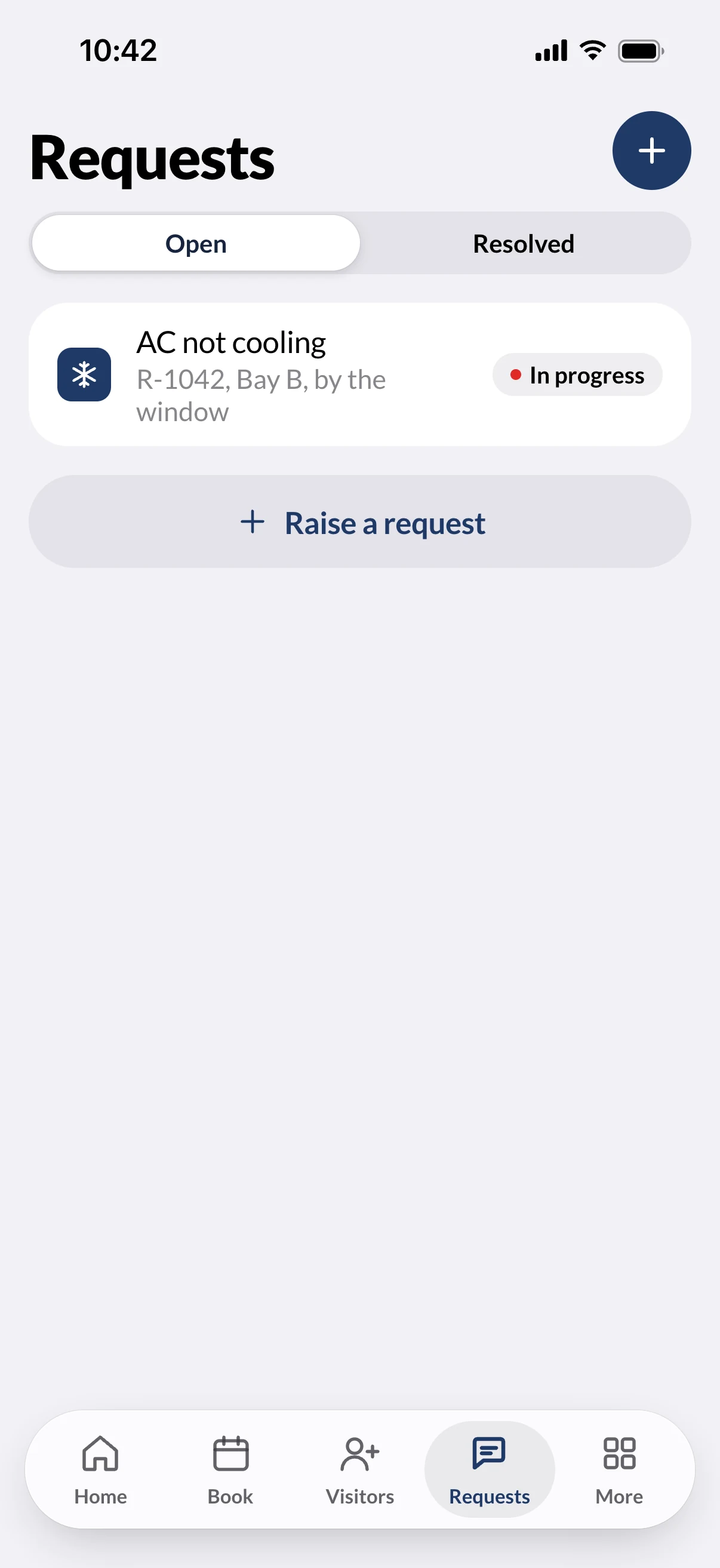
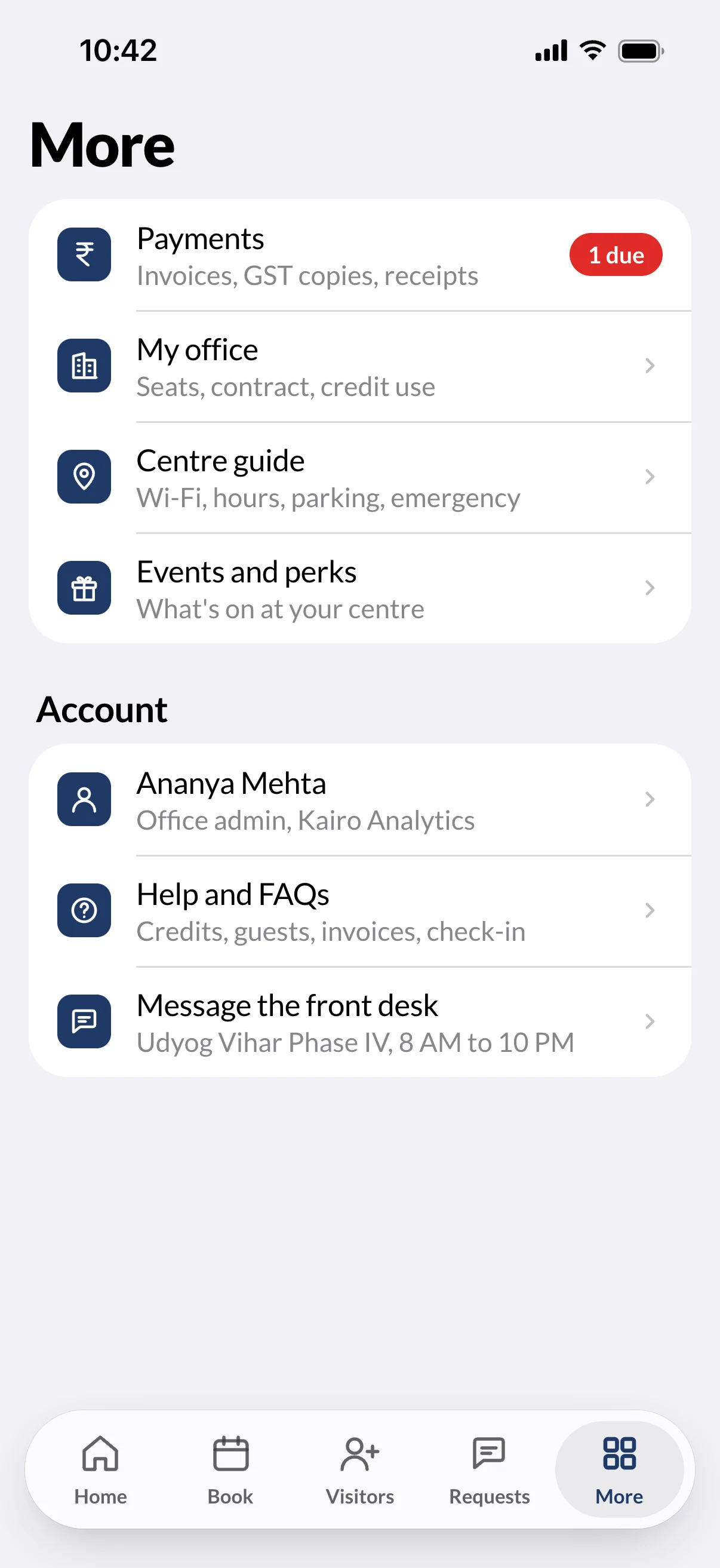
The client app, five tabs
Home, Book, Visitors, Requests and More. It opens at your centre and your company, so there is nothing to search for.
Team app
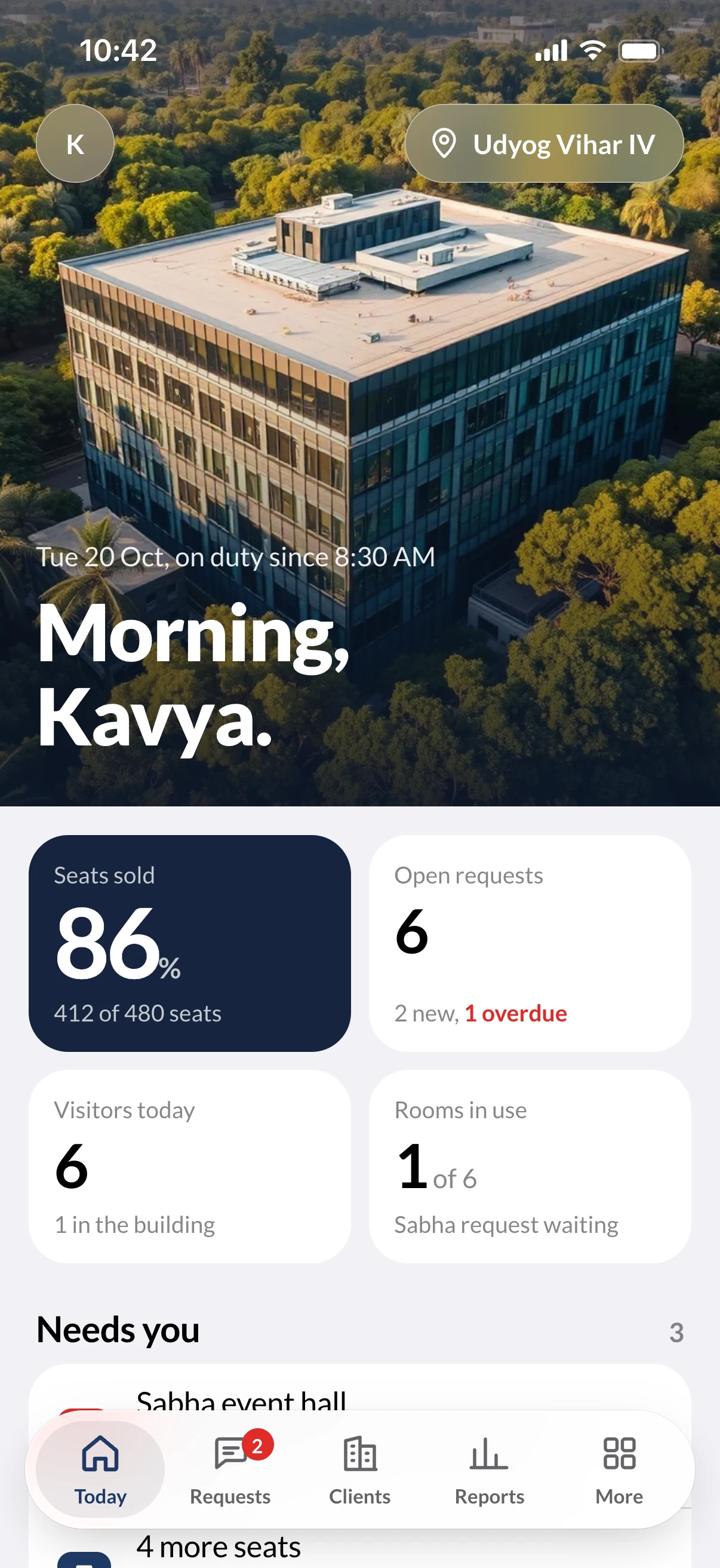
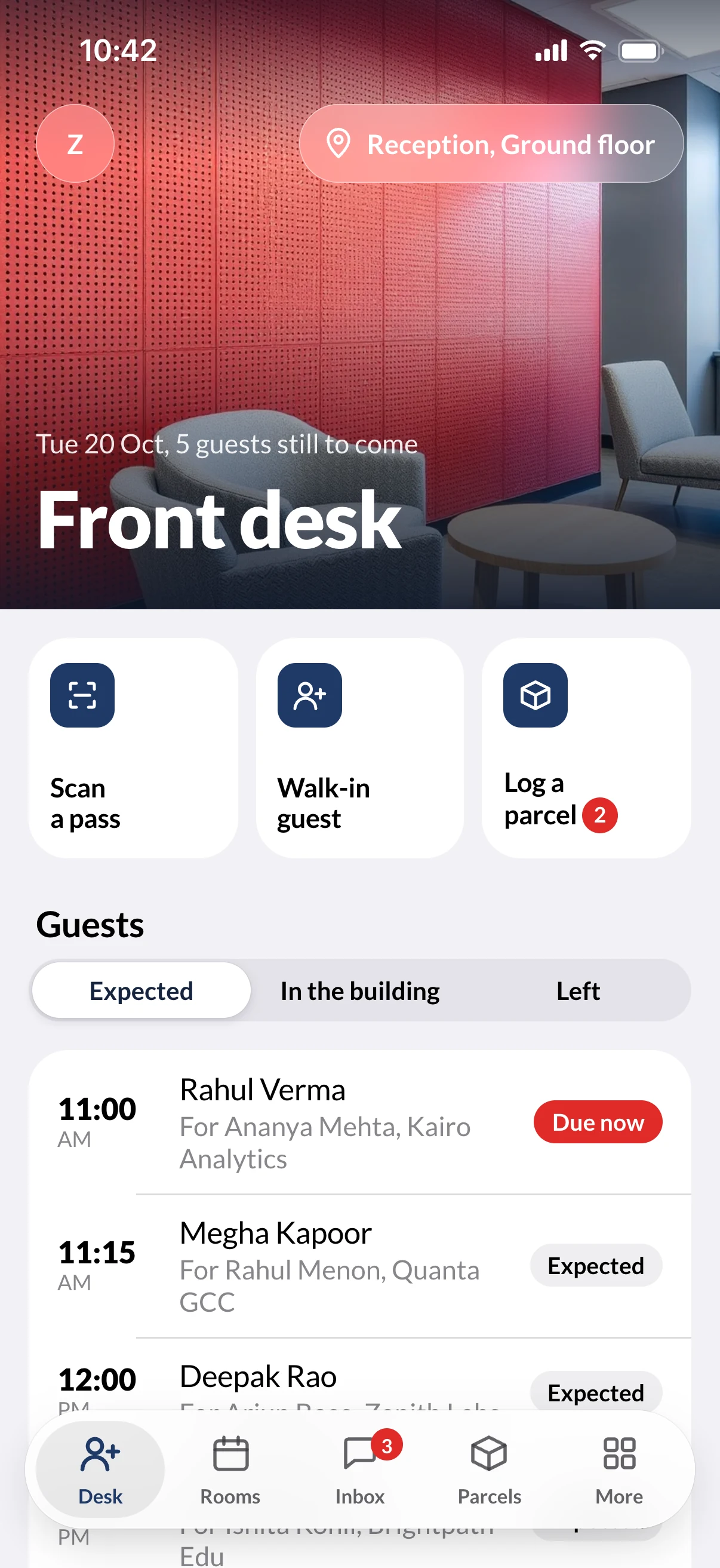
The team app, one role at a time
Six roles, each with its own tabs. Nobody wades through another person's tools.
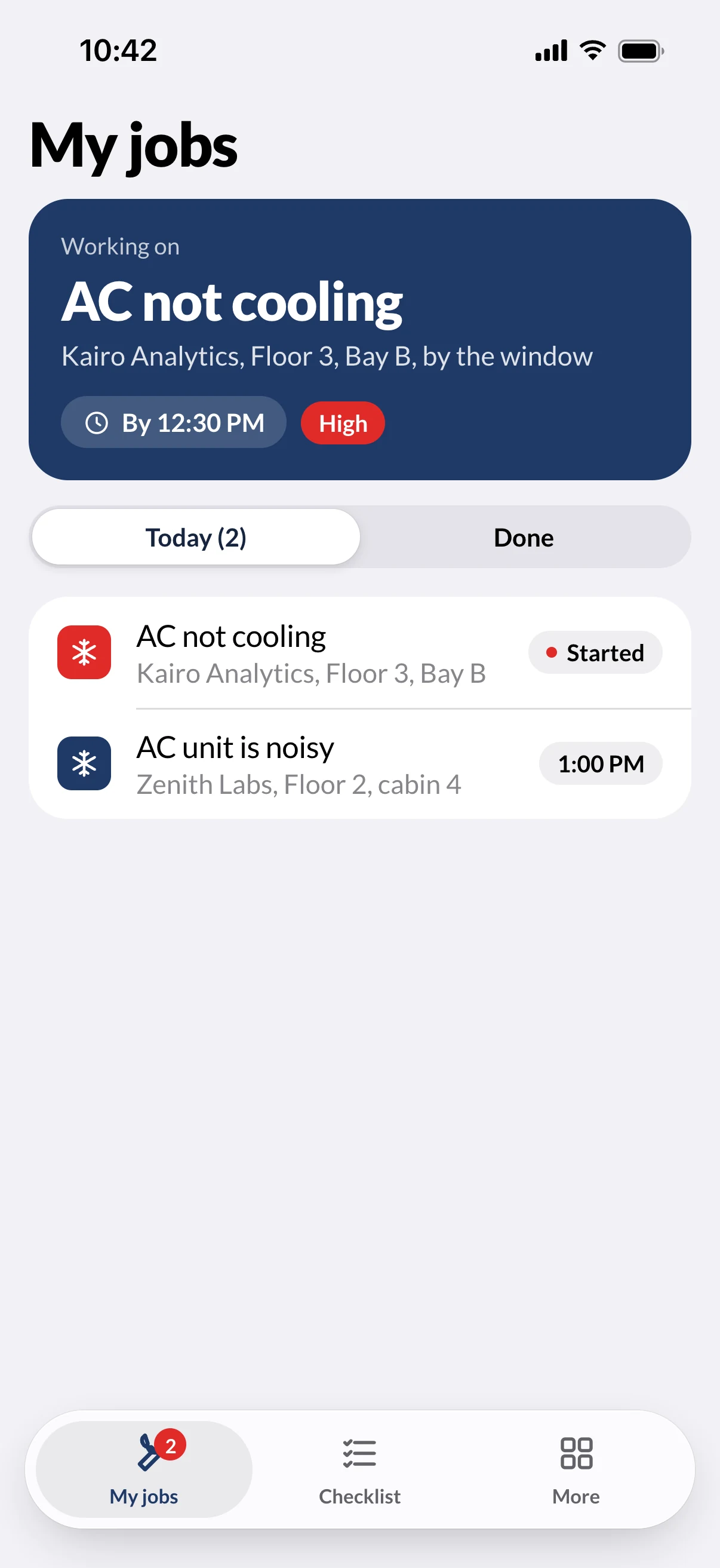
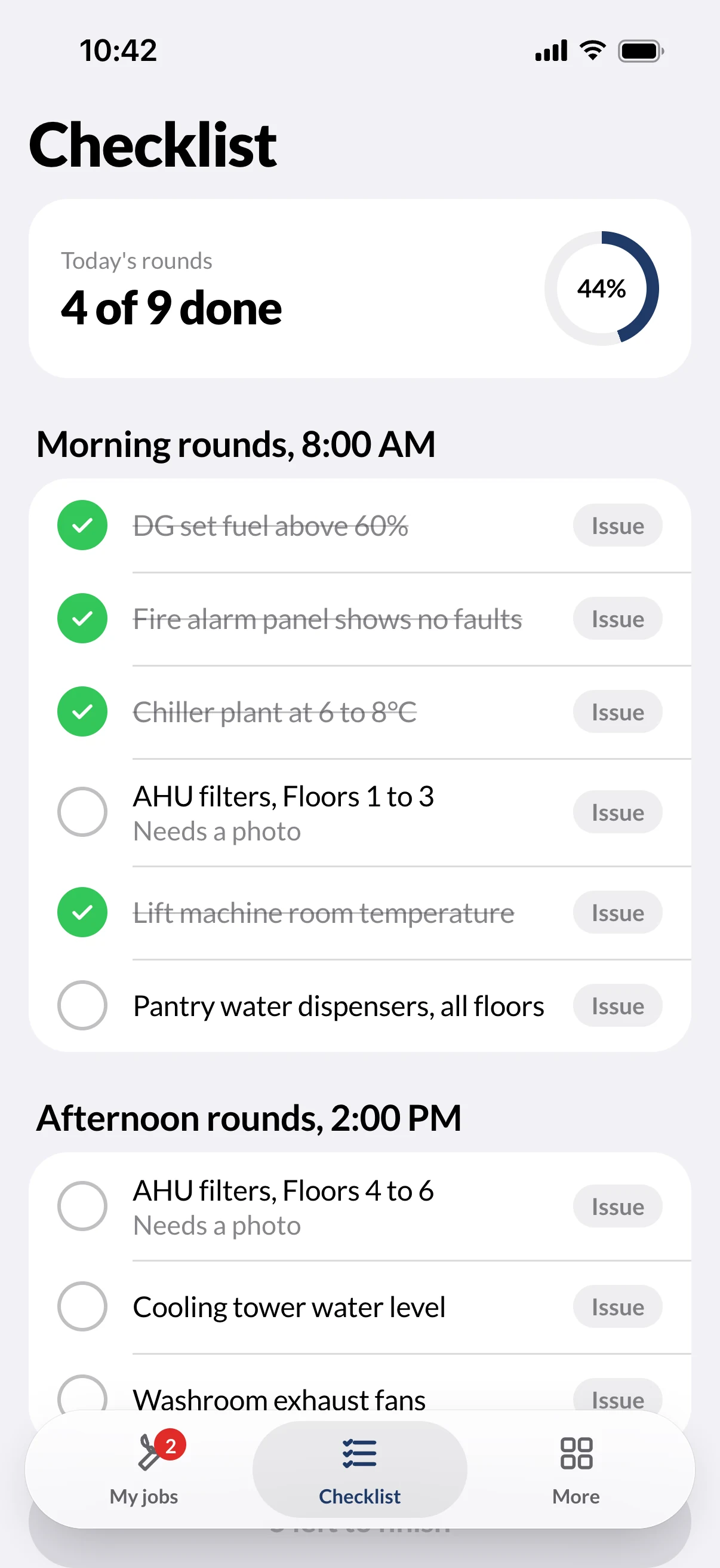
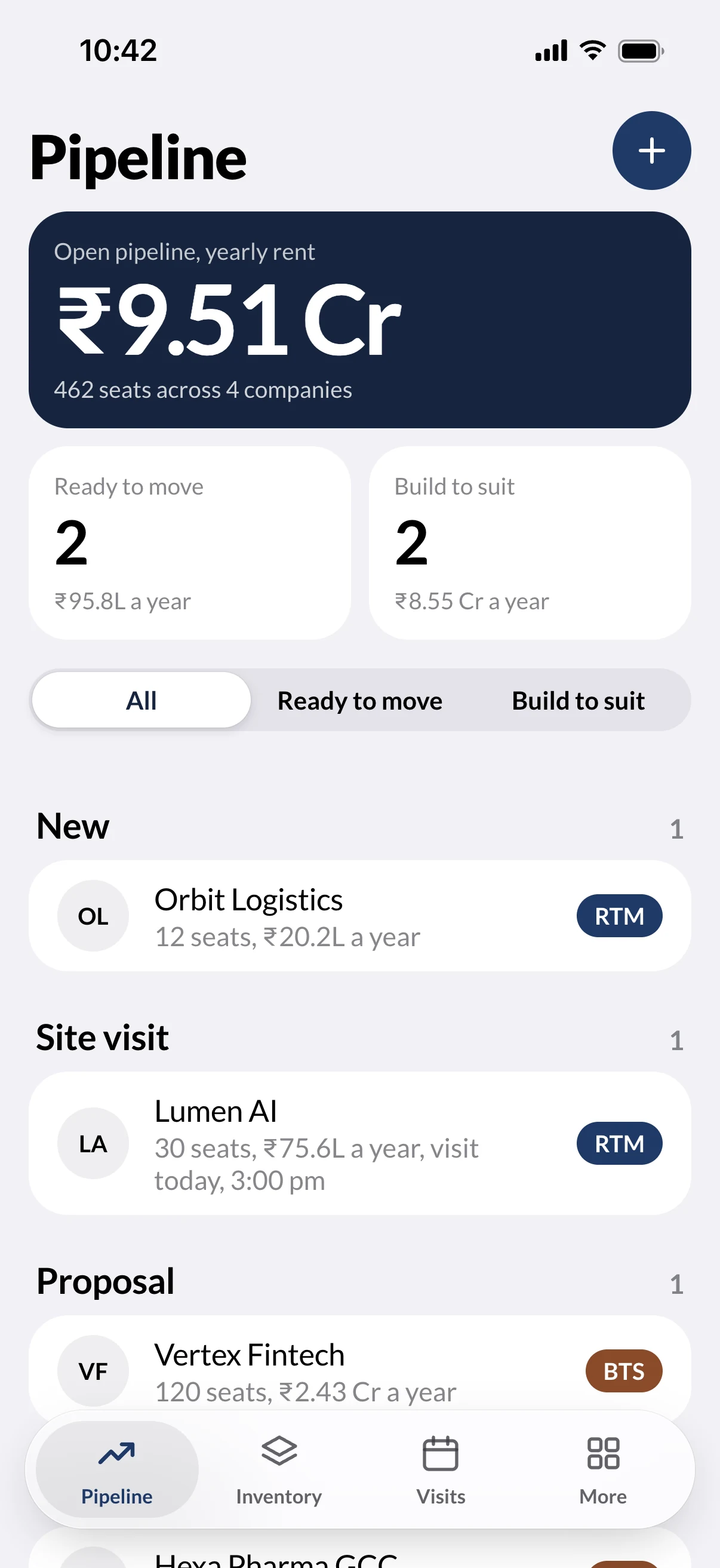
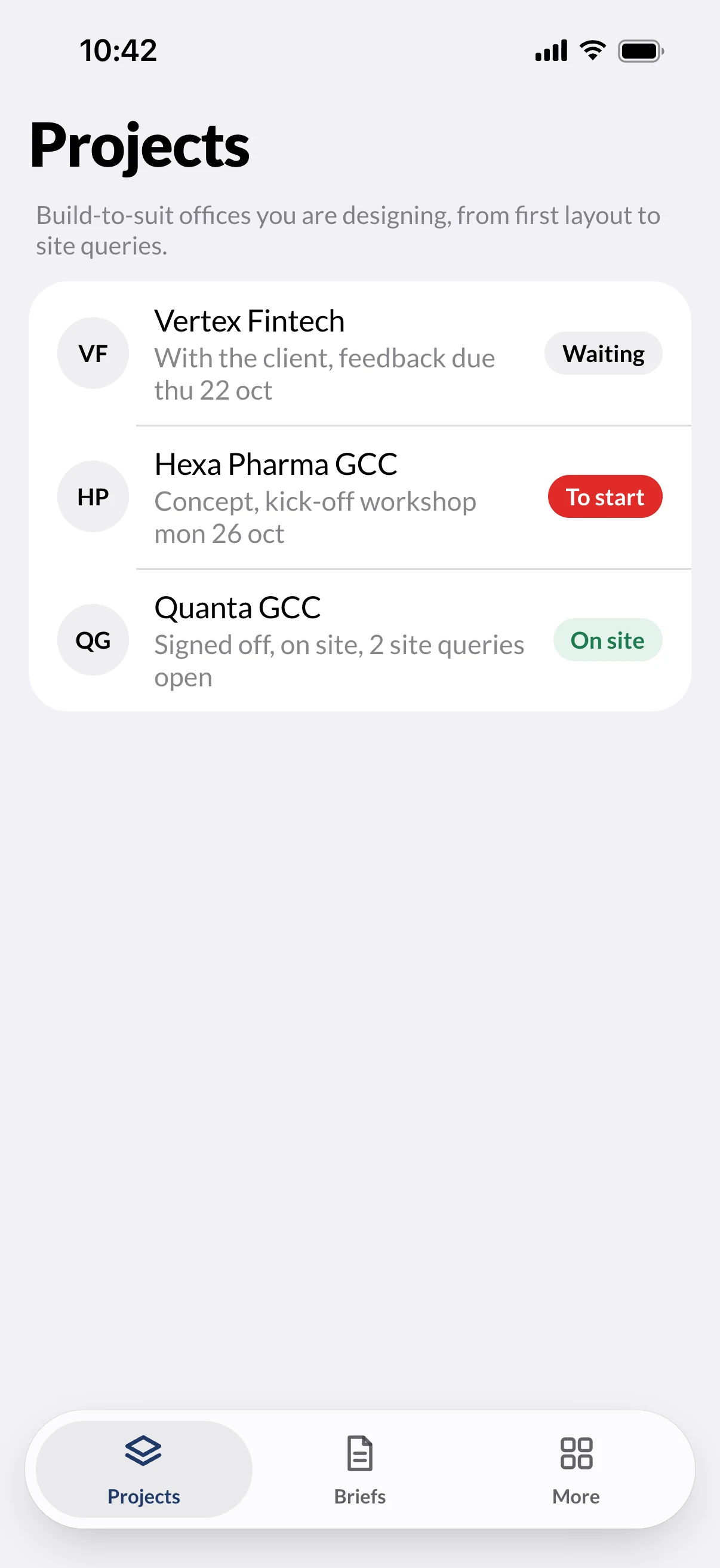
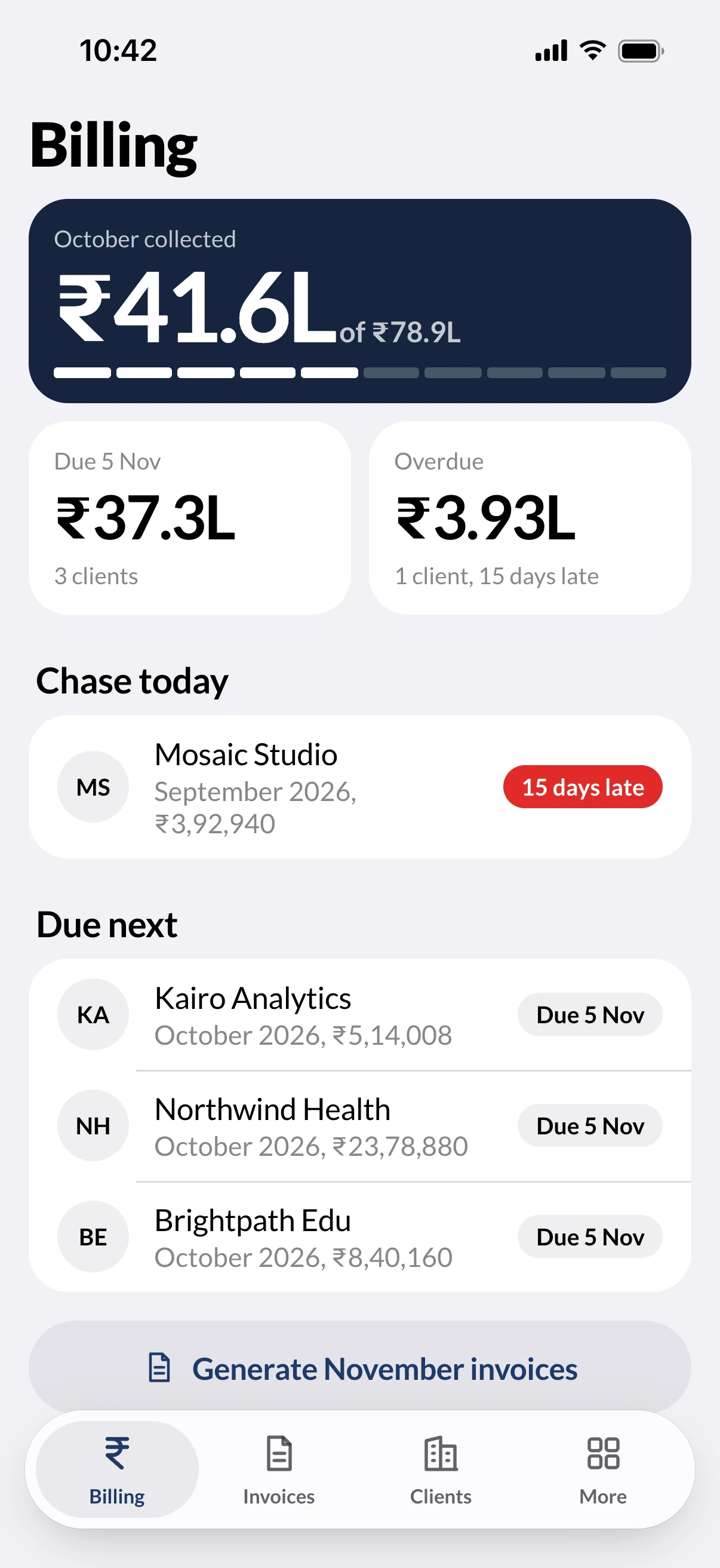
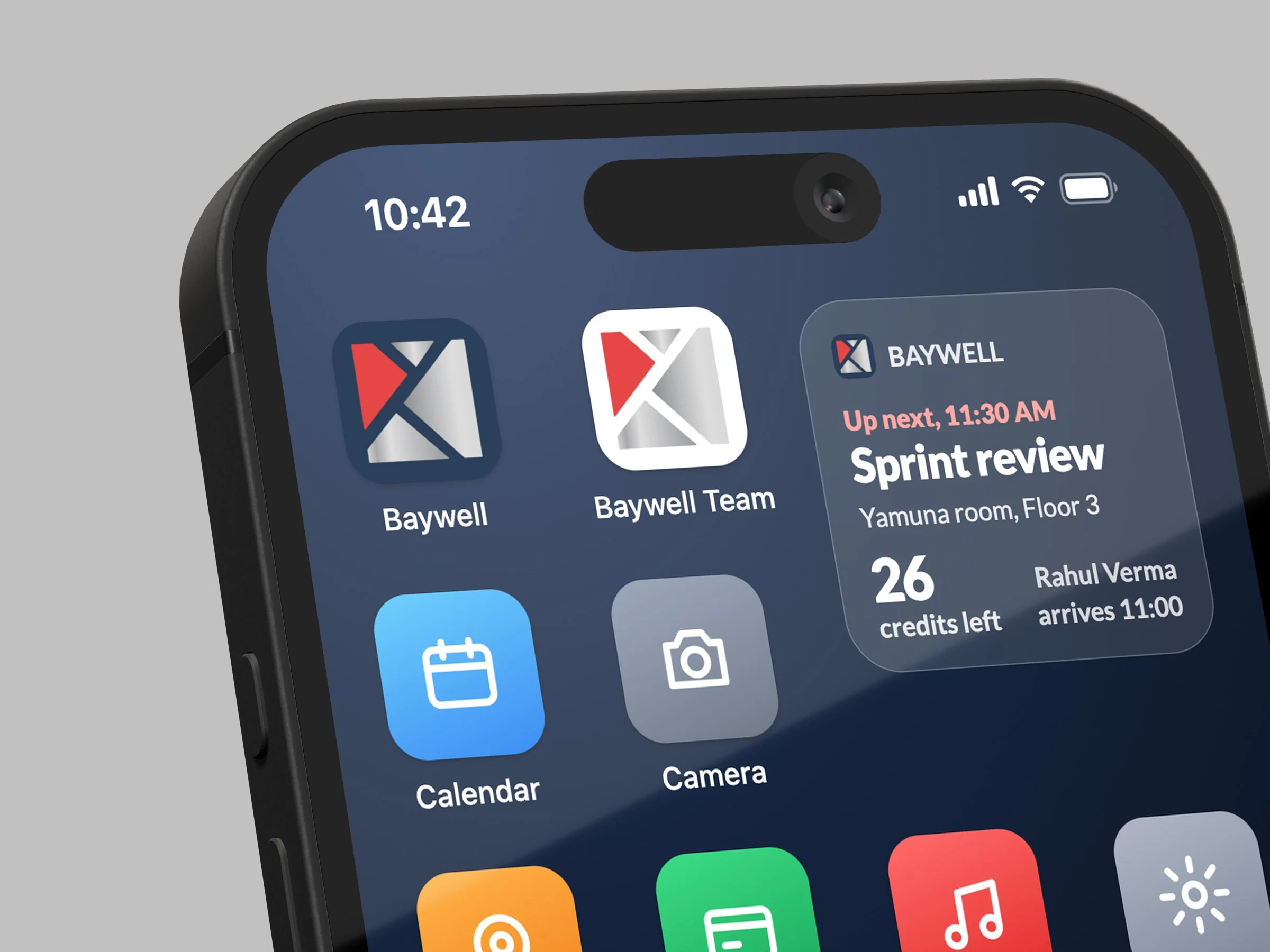
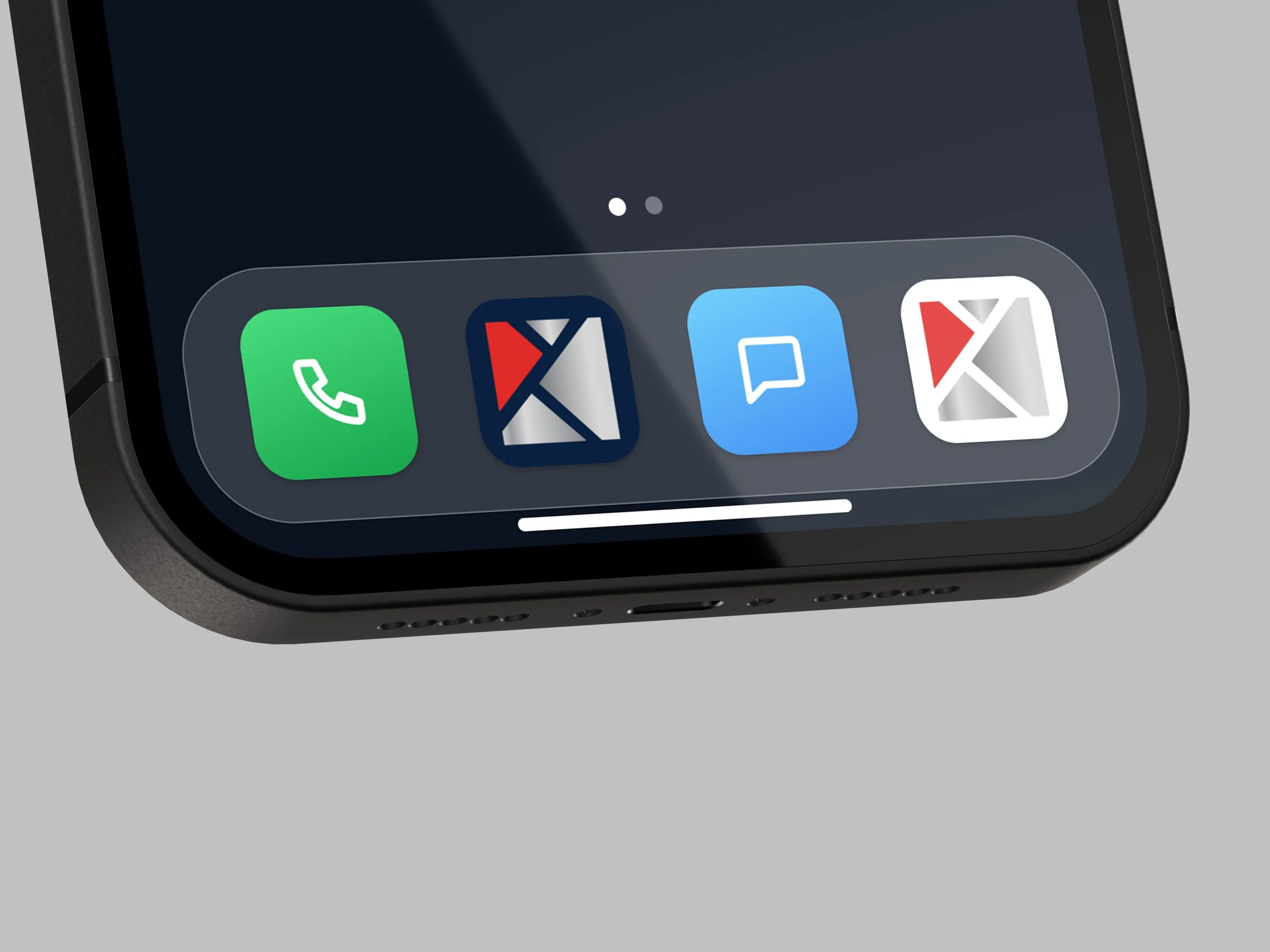
Mockups
On the phone, and on the fold
Rendered in Photoshop from smart-object mockups, with screens captured from the working prototypes.
The build
A prototype you can hand to a developer
I built both apps as working web prototypes in HTML, CSS and JavaScript, so every flow can be tried on a real phone, a laptop or a foldable before anything is built for the stores.
Links can open any screen in any state, for any role, platform and device. The same links capture the screens for the mockups, so the renders always match the prototype.
- Apps
- Client app and team app, one shared design system
- Platforms
- iOS and Android looks, phone and foldable layouts
- Built with
- HTML, CSS and JavaScript, no framework
- Photos
- Interior and building photos are AI-generated for the concept
- Status
- Concept for portfolio use, not a published app
(Hire me)
Need something like Baywell for your company? Tell me what you're working on.
Hire Me